Dealer Management & Mobile POS
Serve physical outlets, virtual dealers and resellers with guided mobile POS transactions, wallets and orders.

Run retail dealers, virtual dealers, resellers, door-to-door teams and back office from one system. SIM registration, eKYC, subscriber services, dealer wallets and field activity, built on a configuration engine so new services are configured, not rebuilt.
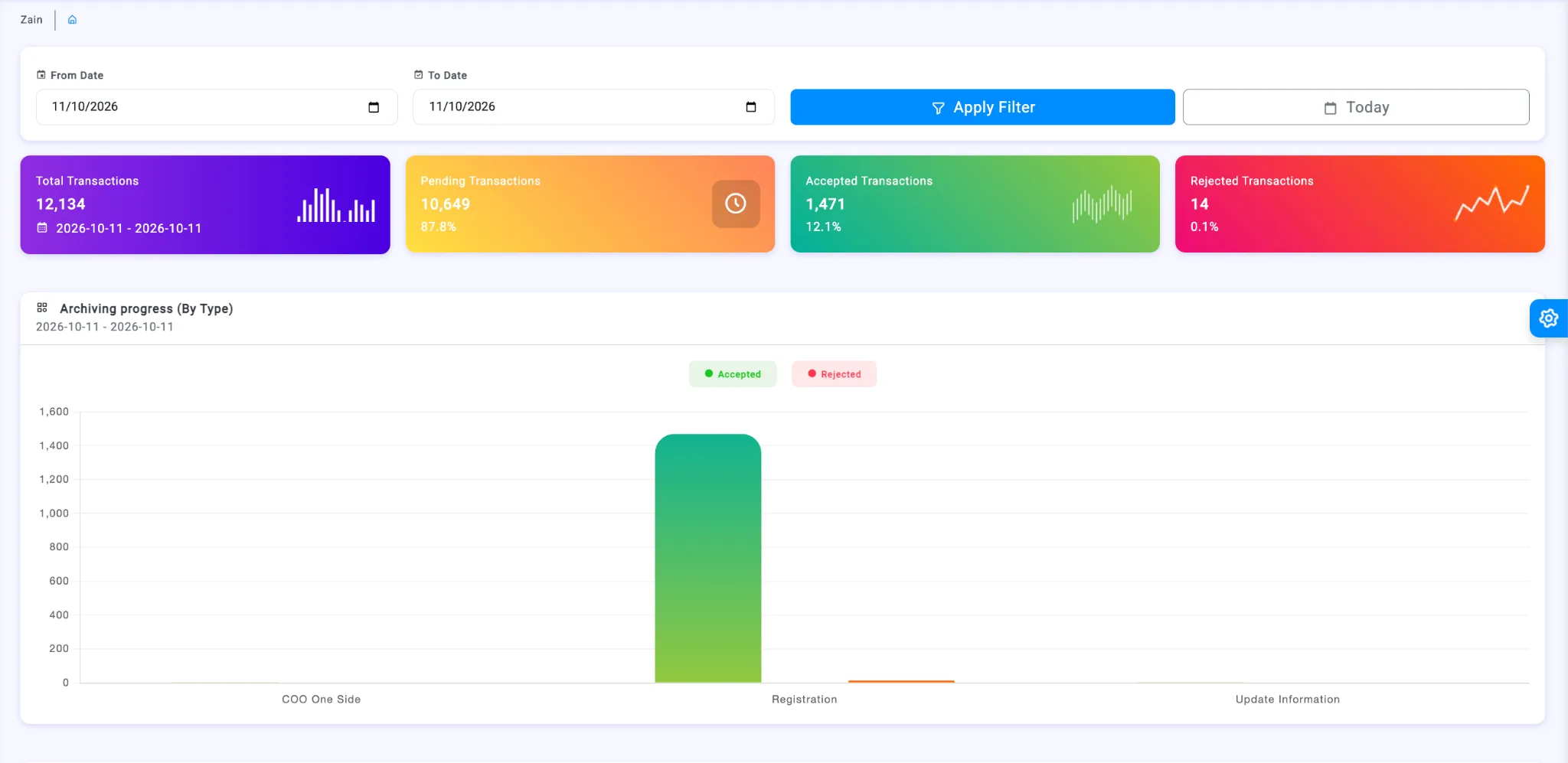
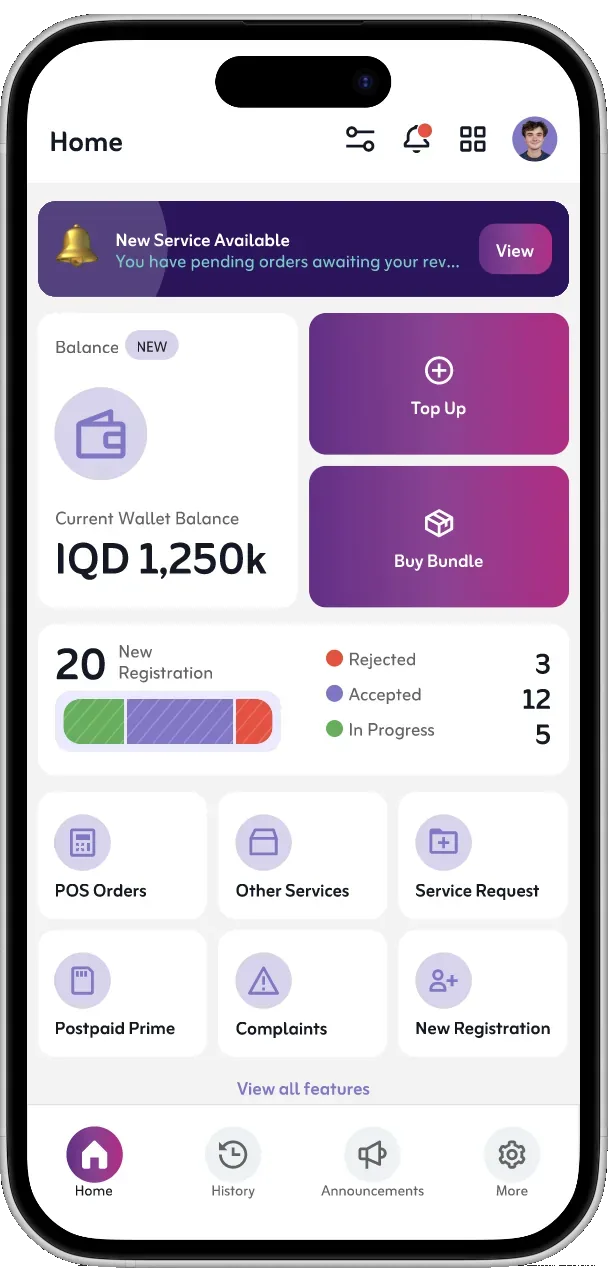
Replace disconnected dealer portals, field apps and spreadsheets with one telecom channel management platform: dealer management, mobile POS (mPOS), subscriber lifecycle services and field force management.
Serve physical outlets, virtual dealers and resellers with guided mobile POS transactions, wallets and orders.
SIM registration and activation, eKYC, subscriber updates, plan changes and after-sales requests.
Route every transaction through review, approval, verification and exception handling.
Give D2D teams and supervisors visit tracking, GPS attendance, targets and channel oversight.
The platform runs on a configuration engine. A new telecom service is mostly configuration: its form, its approval path and its wording. That is why one codebase scaled from three functions to more than twenty in a year.
Define the fields, documents, validations and signatures a transaction needs, then reuse them across channels.
Set who reviews what, in which order, and what happens on approval or rejection, per service.
Any language, for the app and the back office. Your own team adds languages and edits wording, with no developer and no release.
Real screens from the production app: a guided eKYC journey for every subscriber transaction, and the daily tools dealers and field teams work with.
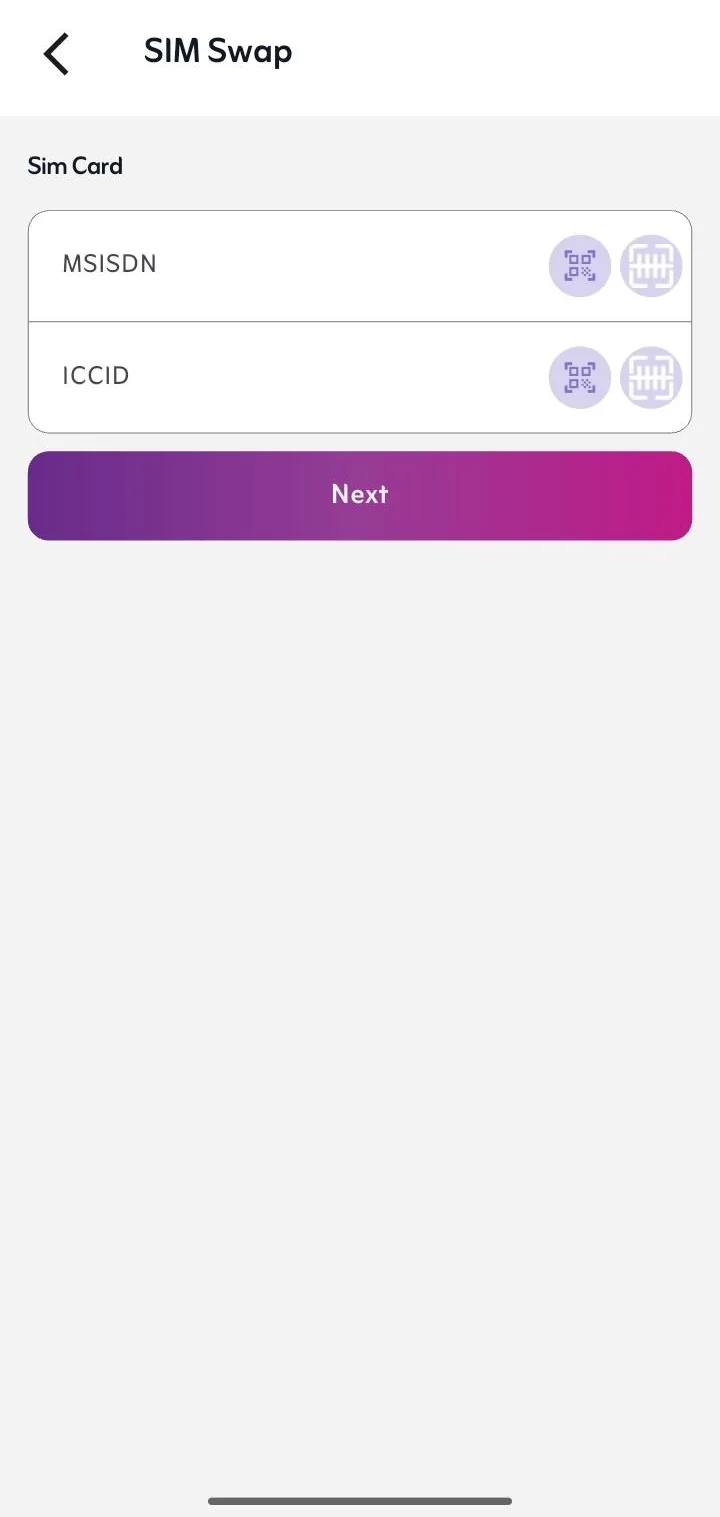
MSISDN and ICCID captured by QR or barcode scan, not typed.
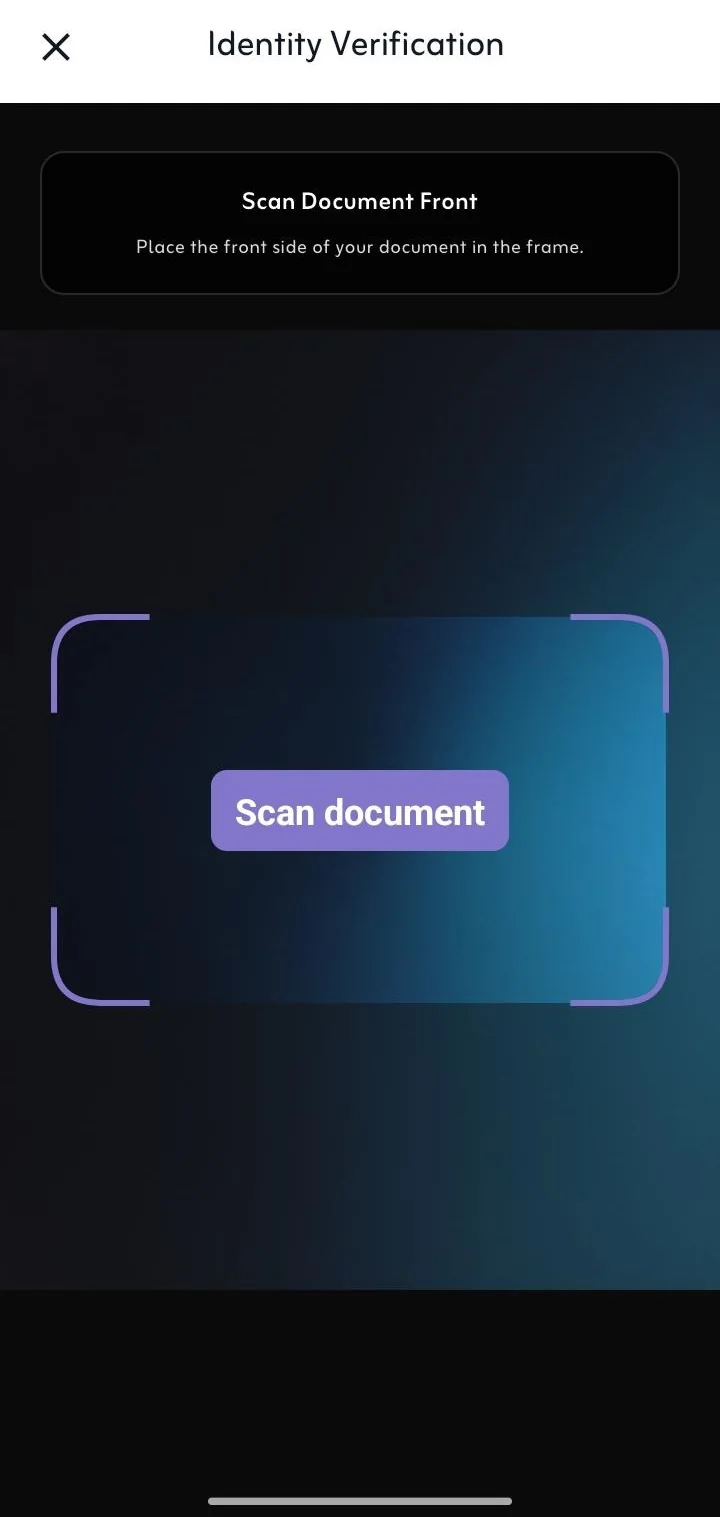
The camera captures the front and back of the ID or passport inside a guided frame.
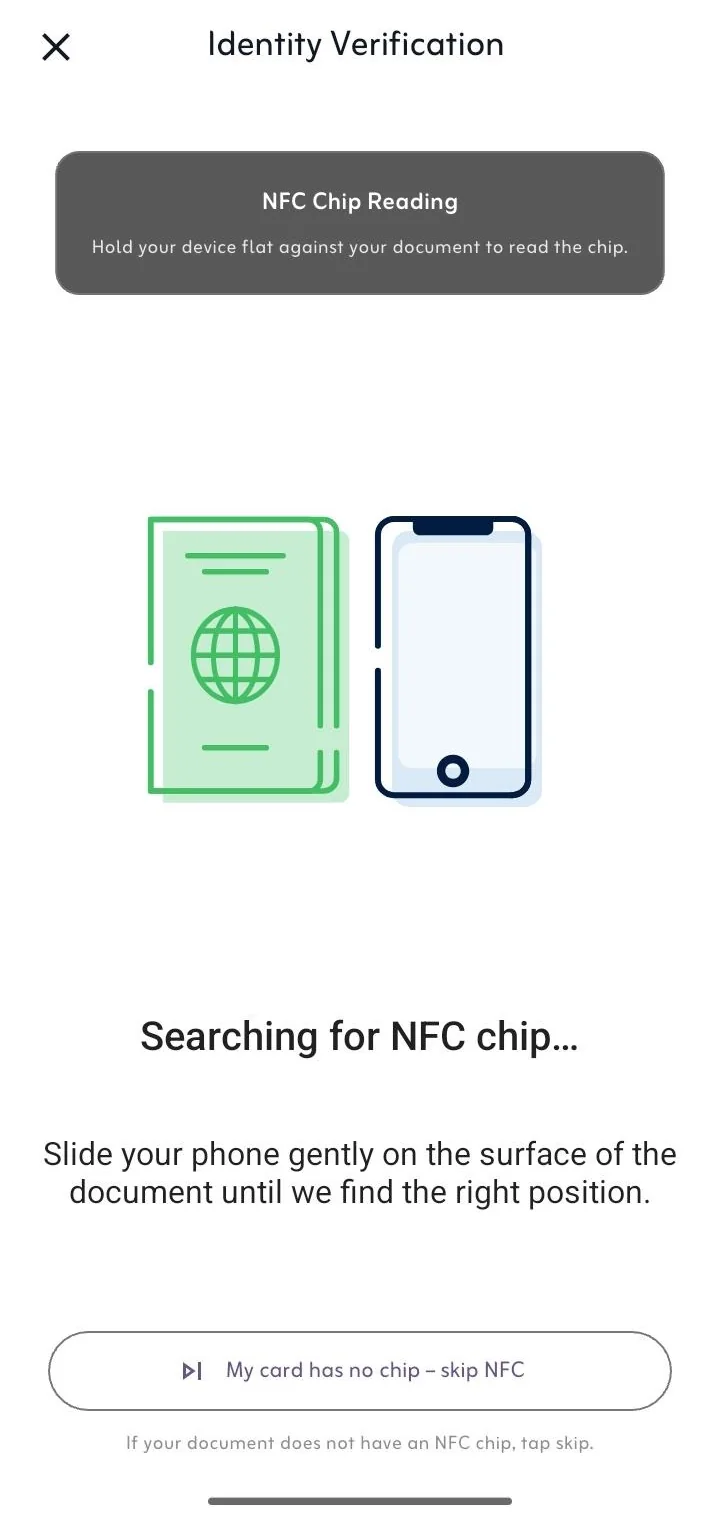
Reads the e-passport or ID chip for tamper-proof data, with a fallback for documents without one.
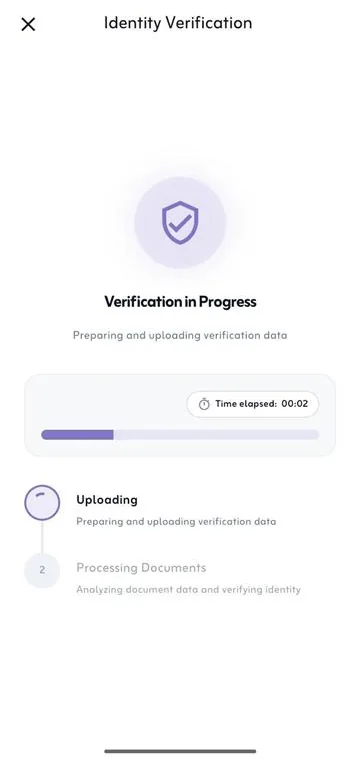
Selfie and document data are uploaded and checked, with live progress.
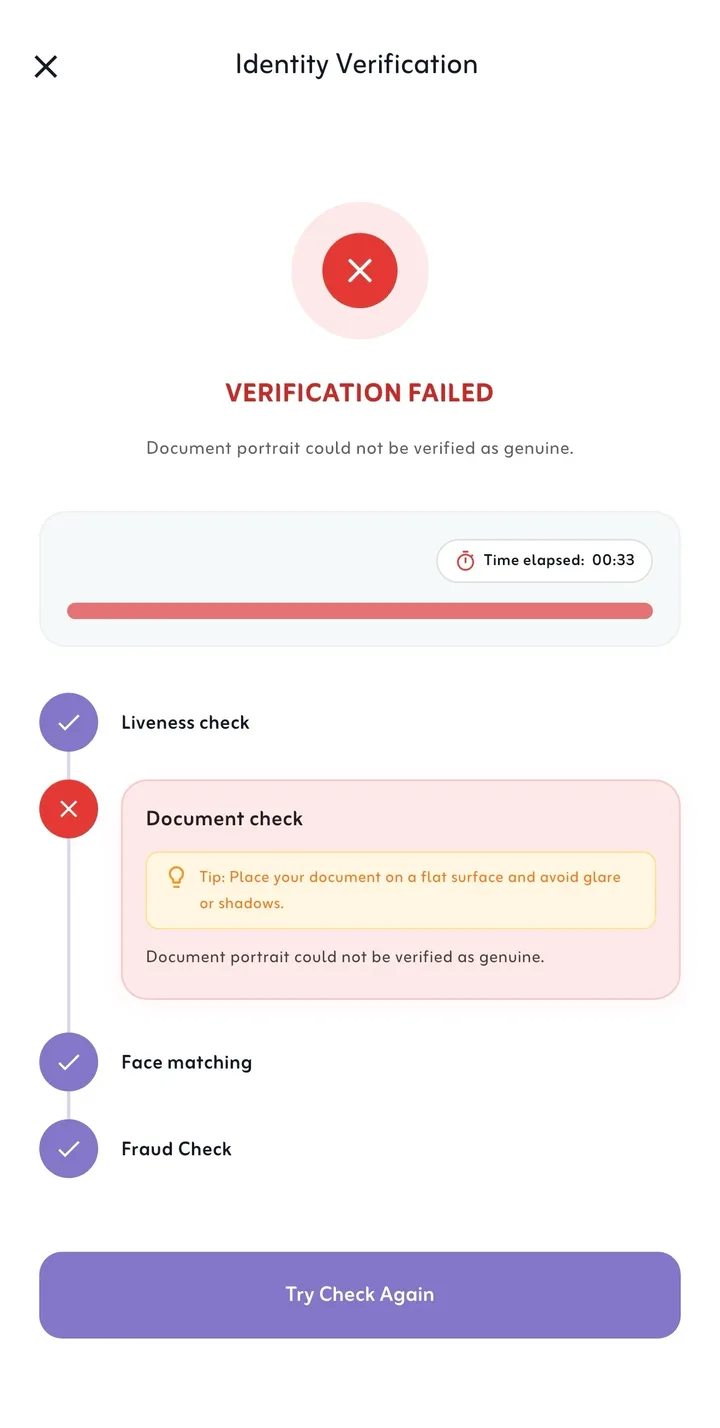
Liveness, document, face-match and fraud checks, with a clear reason and retake guidance when one fails.
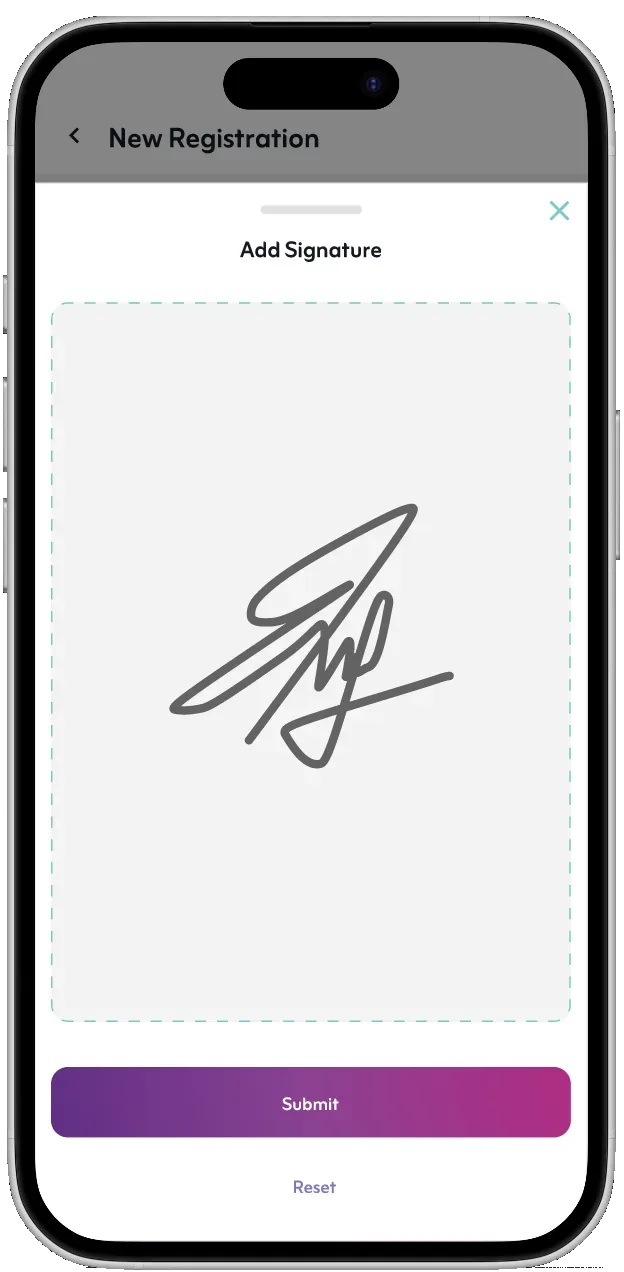
The subscriber signs on screen and the transaction goes to back-office review.
Wallet balance, bundles, POS orders, service requests and registrations.
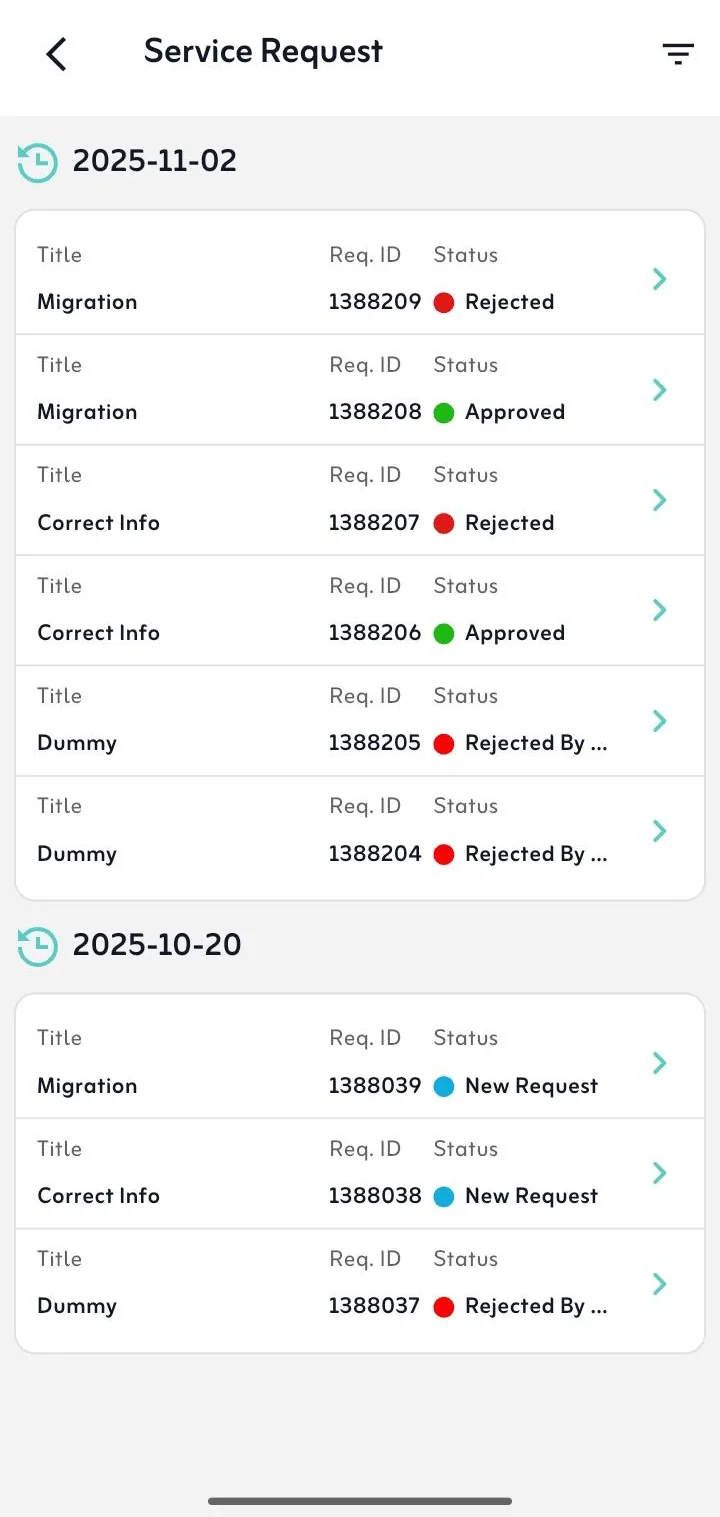
Every request with its ID and live status: new, approved or rejected.
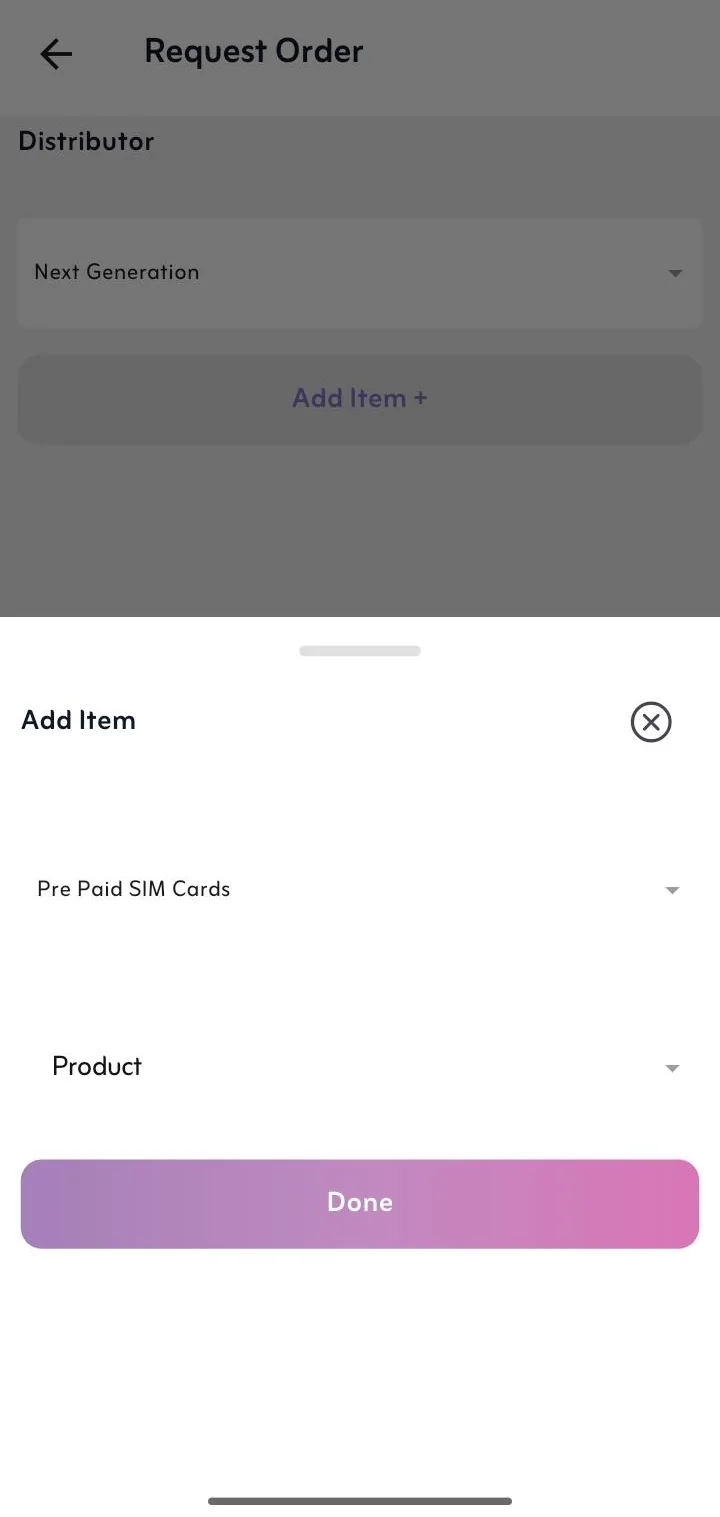
Order SIM cards, devices and vouchers from the assigned distributor.
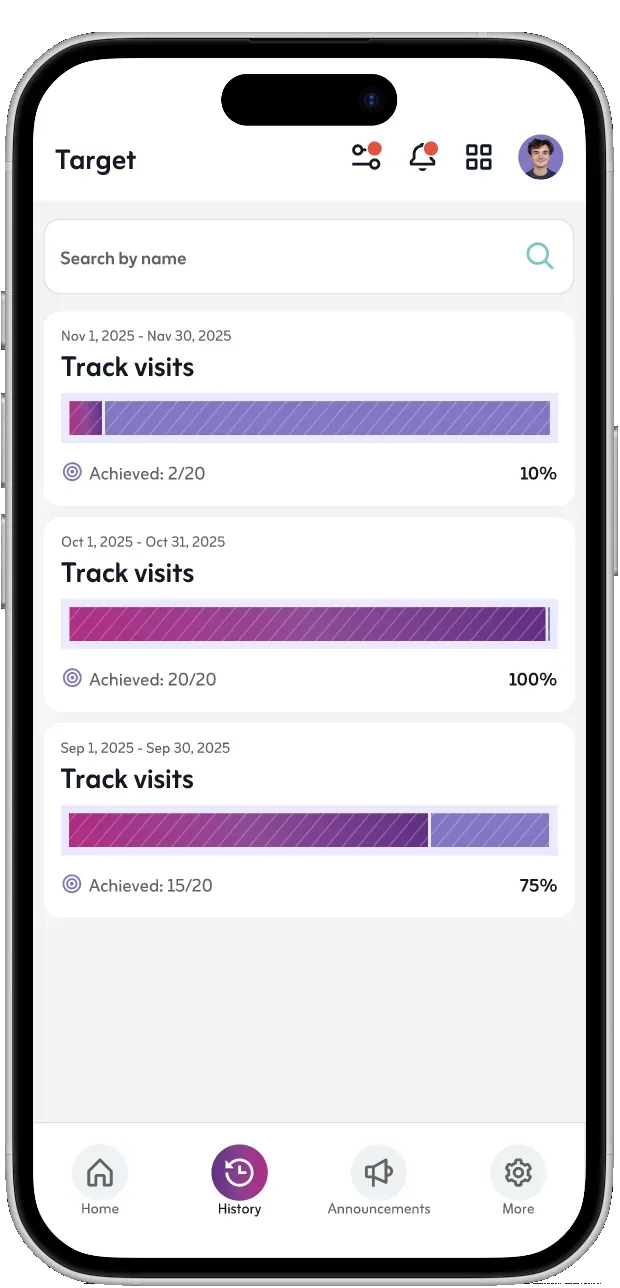
Field team targets, completed visits and monthly performance.
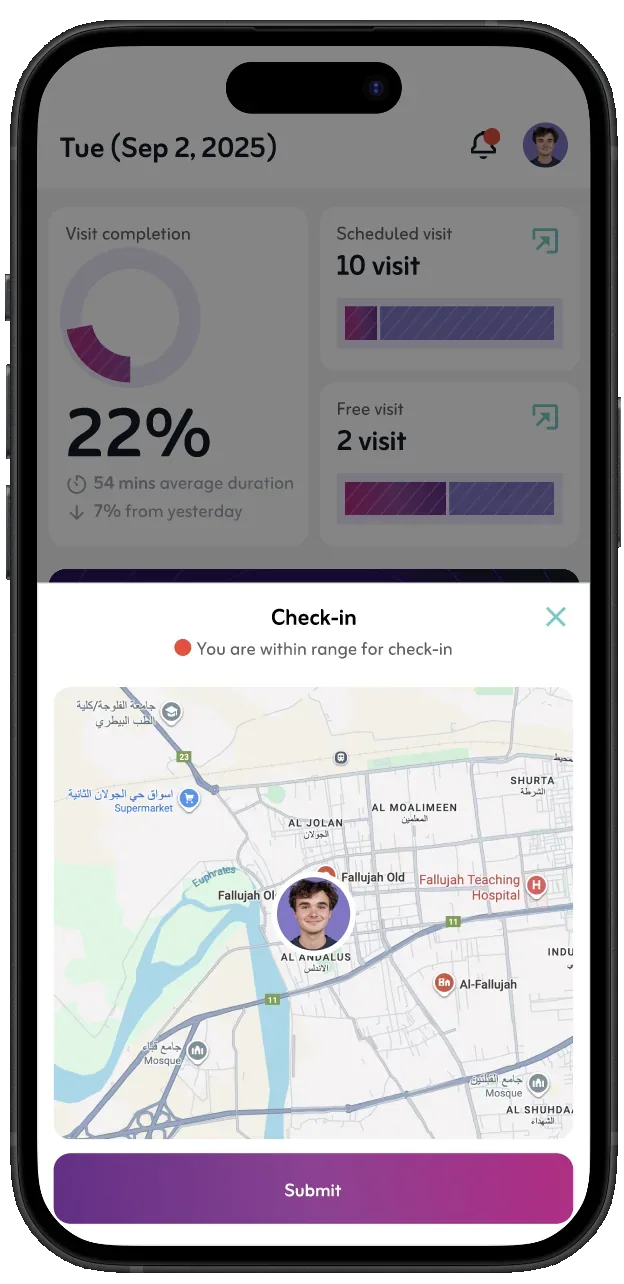
Field visits confirmed by map-based proximity checks.
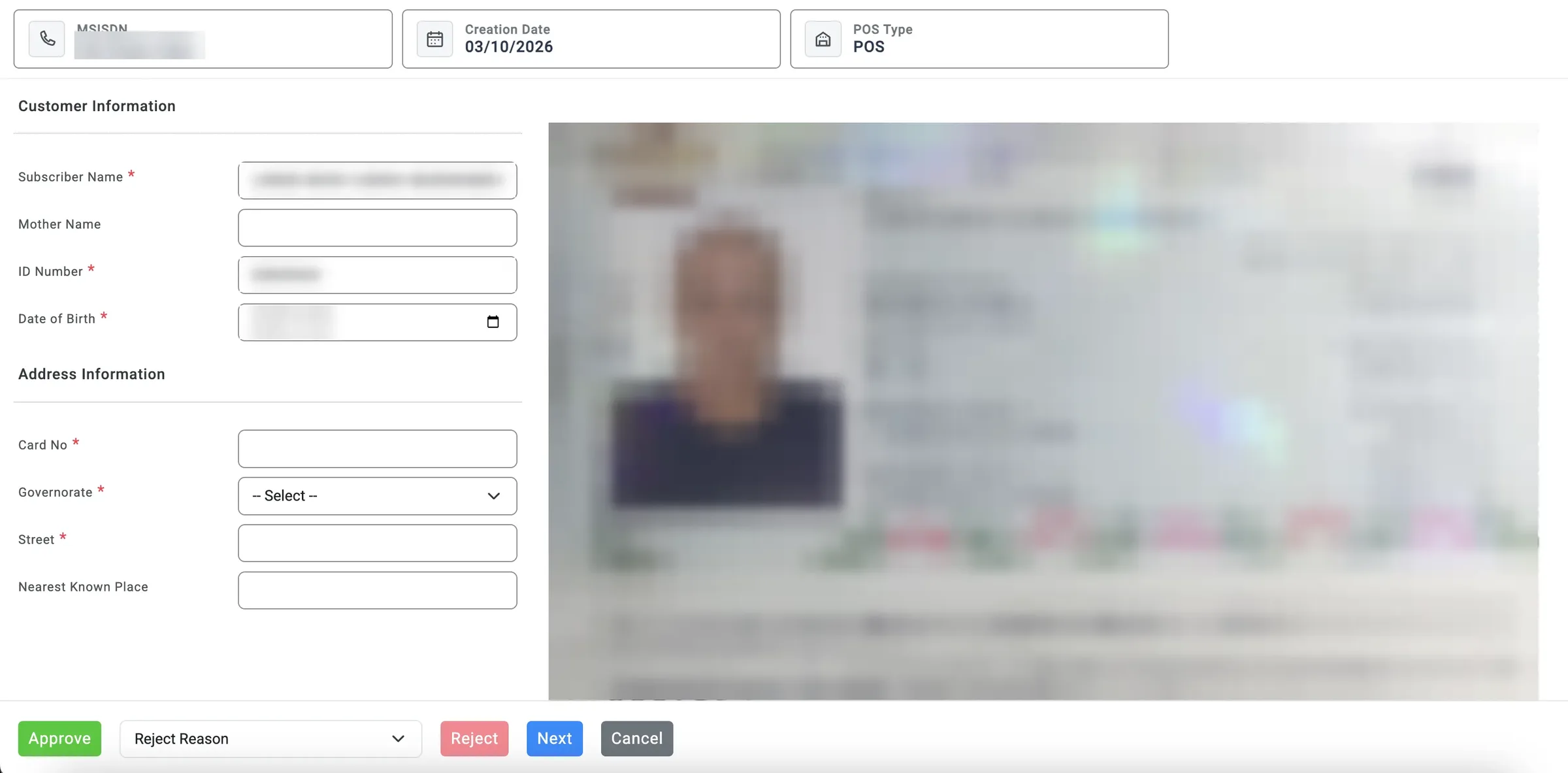
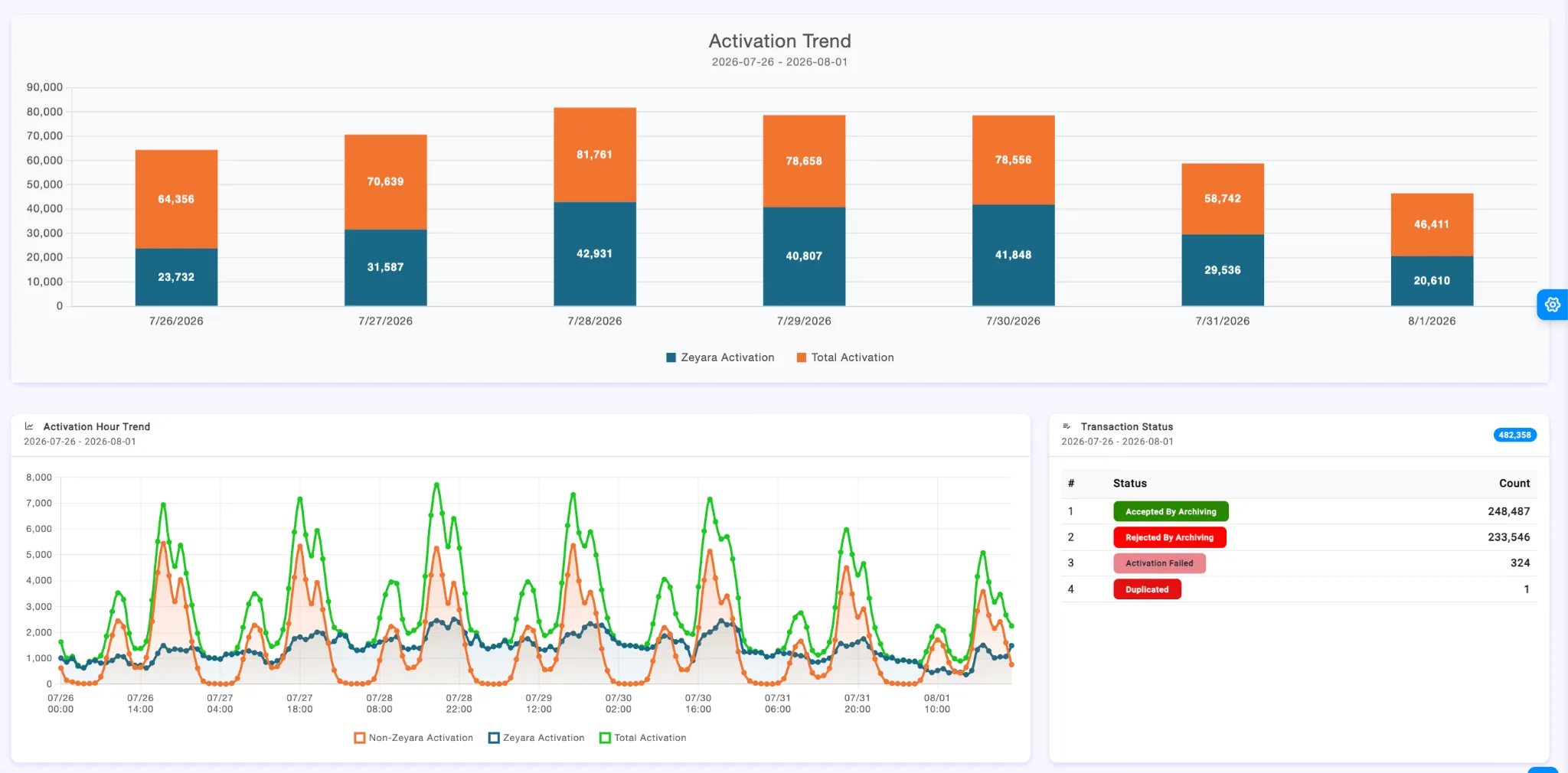
Review queues for every transaction, plus dashboards for approval progress and activation trends.
From dealer portals and mobile points of sale to field sales and customer service, each channel gets the operating model it needs.
A common workspace for retail dealers and resellers: transactions, orders, wallet and subscriber services.
Mobile, digitally operated dealer journeys that are not tied to a physical counter.
Promoters and field teams with visits, attendance, onboarding and supervisor oversight.
Identity verification, SIM registration, subscriber updates, after-sales and approvals in guided journeys.
From subscriber onboarding to field-force enablement, every module shares the same forms, workflows and back office.
Digital SIM registration, eKYC, activation and lifecycle changes.
Support, after-sales and corporate servicing across dealer and retail POS channels.
Sales tools for dealers, resellers and virtual dealer operations.
Door-to-door sales, field force management, visits and channel activity.
Training, notifications and support for distributed channel teams.
Every service follows the same path, so a new one launches into processes your teams already know.
A dealer, promoter or agent starts a registration, service request, order or field task.
Customer details, documents, signatures and task evidence are captured in guided forms.
Back-office reviewers accept or reject according to the service's workflow.
Follow transactions, coordinate teams and track channel performance from dashboards.
Channel workflows connect to the services, controls and operational systems behind them. Deploy in the cloud, on-premise in your own data centre, or both, under your own brand.
A telecom dealer management system (DMS) gives an operator one place to run its sales and service channels: retail dealers, resellers, virtual dealers and door-to-door teams. It covers the transactions they perform, such as SIM registration, activations and subscriber requests, plus wallets, commission, field activity and the back-office reviews behind them.
Yes. Dealers scan the SIM, capture the customer's ID document with the camera and read its NFC chip where present, then take a selfie. Automated checks run liveness, document authenticity, face matching and fraud screening, the subscriber signs on screen, and the transaction is routed to back-office review for acceptance or rejection.
Yes. Where the passport or ID card has an NFC chip, the app reads it for tamper-proof identity data. For documents without a chip, the dealer skips the NFC step and verification continues from the scanned document and selfie.
The app shows exactly which check failed (liveness, document, face match or fraud) with guidance to retake, for example avoiding glare on the document. In the back office, reviewers can also reject a transaction with a selected reason, and the dealer follows its status in the app.
Yes. Field teams get GPS-based attendance, visit tracking with QR and proximity checks, visit targets, inventory audits and data collection, while supervisors follow progress from the web back office.
Yes. The full point of sale runs on the dealer's phone: registrations, service requests, bundles, wallet and stock orders. Virtual dealers and promoters can serve subscribers anywhere, not only at a counter.
Dealers see their wallet balance and top up, sell bundles from daily to monthly packages, order SIM cards, devices and vouchers from their distributor, and view their commission balance with a full breakdown.
Yes. Corporate accounts and their contracts are serviced on the same platform, through the same guided workflows and back-office approvals as consumer transactions.
Yes. The platform can be deployed in the cloud, on-premise in the operator's own data centre, or as a hybrid of both, depending on the operator's data residency and infrastructure requirements.
Yes. The mobile app and back office are delivered under the operator's own brand, so dealers and subscribers see the operator, not WeWebit.
Any language. Interface text for both the mobile app and the web back office is managed by the operator's own team through the built-in translation system, so adding a language or changing wording needs no developer and no new release.
The app runs on Android, iOS and Huawei devices, and the back office runs in the web browser.
Much of a new service is configured rather than coded. Forms, approval workflows and interface text are defined in the platform's configuration engine. That is how the reference deployment grew from three functions to more than twenty capabilities in twelve months on a single codebase.
The platform connects channel transactions to the operator's own systems through integrations. Integration scope and deployment architecture are agreed with each operator during discovery.
See how dealer management, mobile POS, subscriber onboarding, D2D field operations and back office work together on one platform. Tell us about your channels and we'll set up a walkthrough.